
Welcome to atkapp WhatsApp has completely transformed communication globally, providing users with fast, secure, and convenient ways to connect. One of its most powerful features is the WhatsApp Scan QR Code, which allows users to link devices securely, manage contacts efficiently, and access messages across multiple platforms. Understanding this feature is essential for maximizing messaging efficiency and maintaining account security.
The WhatsApp Scan QR Code is used extensively for logging into WhatsApp Web, linking multiple devices, and adding contacts instantly without manually entering phone numbers. Its simplicity, security, and speed make it a crucial tool for individuals and professionals seeking effective communication solutions.
“Scanning a WhatsApp QR code allows instant access across devices, creating a seamless communication experience.”
What is a WhatsApp QR Code
A WhatsApp QR Code is a scannable code generated within the WhatsApp application to facilitate quick and secure interactions. Unlike standard QR codes used for websites or promotions, WhatsApp QR Codes are specifically designed for user authentication, device linking, and contact management.
WhatsApp Web QR Code
WhatsApp Web enables users to access their accounts on a computer or laptop without installing additional software. By visiting web.whatsapp.com, a unique QR code is displayed on the screen. Scanning this QR code with a mobile device links the user account to the web browser, allowing chats and media to appear instantly on the computer.
“WhatsApp Web QR Code provides a secure and efficient connection between mobile and desktop platforms.”
This process is safe because all communication remains encrypted. The QR code is time-sensitive, reducing the risk of unauthorized access. Messages are synchronized securely between devices without being stored on web servers.
Personal WhatsApp QR Code for Contact Addition
Every WhatsApp user can generate a personal QR code within the application. This code enables others to add the user as a contact immediately, without manually typing phone numbers. This feature is particularly useful in professional networking events, social gatherings, or any situation where rapid contact addition is needed.
“A personal WhatsApp QR code transforms manual contact sharing into a simple scan, improving efficiency and accuracy.”
By scanning a personal QR code, new contacts are added instantly, and messaging can begin immediately. This feature eliminates errors commonly associated with manual number entry.
Read Also: WhatsApp Web scan code
How to Scan a WhatsApp QR Code
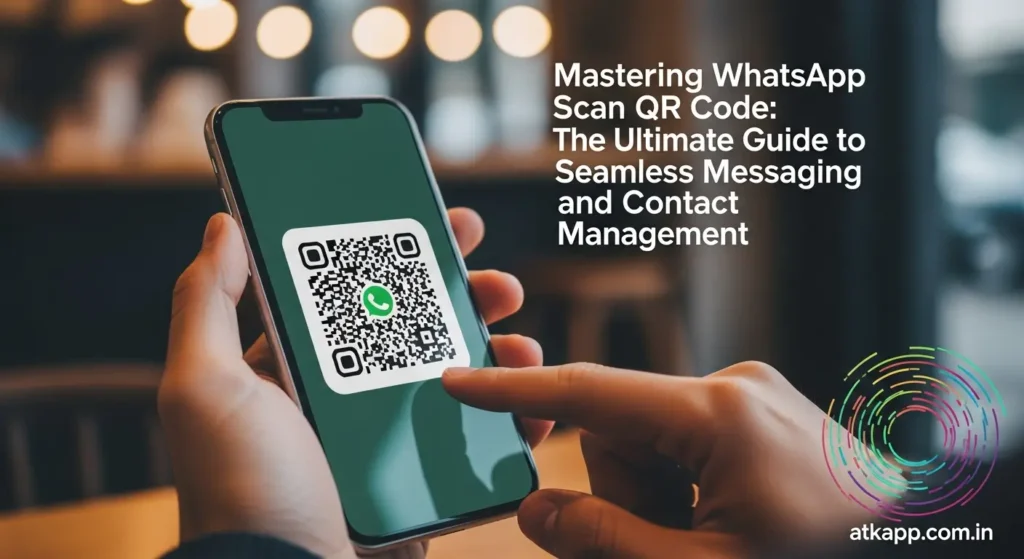
Scanning a WhatsApp QR Code is straightforward, whether it is for WhatsApp Web or personal contact addition.
Scanning WhatsApp Web QR Code
- Open web.whatsapp.com on a computer browser.
- A unique QR code appears on the screen.
- Open WhatsApp on your mobile device.
- Navigate to Settings > Linked Devices > Link a Device.
- Use the camera to scan the QR code displayed on the computer screen.
- After scanning, the WhatsApp account is linked, and messages appear instantly on the computer.
“Linking devices with WhatsApp QR codes ensures secure synchronization of messages across platforms.”
The mobile device must remain connected to the internet while using WhatsApp Web. QR codes expire after a few minutes, enhancing security and preventing unauthorized access.
Scanning a Personal Contact QR Code
- Open WhatsApp and go to Settings.
- Tap the QR code icon located beside the profile picture.
- Choose Scan Code from the menu.
- Use the camera to scan the contact QR code.
- The new contact is added instantly, allowing immediate messaging.
This method is secure, fast, and avoids manual entry errors, making it ideal for professional and personal networking situations.
Advantages of Using WhatsApp Scan QR Code
The WhatsApp Scan QR Code feature provides multiple benefits that enhance security, convenience, and productivity.
Enhanced Security
Using QR codes for login and contact addition ensures that accounts remain protected. QR codes are unique and expire after a short period, preventing unauthorized access.
Convenience and Speed
Adding contacts or linking devices through QR codes is significantly faster than traditional methods. It saves time, particularly for business professionals managing multiple contacts or devices.
“WhatsApp QR codes offer a perfect balance of security and convenience, enhancing productivity in communication.”
Accuracy in Contact Management
Manual entry of phone numbers can lead to errors. How-to guides QR codes eliminate this issue by enabling precise and instant contact sharing, improving communication efficiency.
Multi-Device Access
Users can access their WhatsApp accounts from multiple devices simultaneously without compromising security. This is highly beneficial for professionals using both mobile devices and computers for messaging.
Common Issues and Solutions
Although scanning WhatsApp QR codes is simple, users may face occasional challenges such as unresponsive codes or scanning failures.
QR Code Not Scanning
Ensure the camera lens is clean and the surrounding environment is well-lit. Adjust the distance and angle between the camera and the QR code to improve scanning accuracy.
QR Code Expired
QR codes for WhatsApp Web expire quickly to maintain security. Refresh the page to generate a new code.
Connectivity Issues
Both the mobile device and the computer must be connected to the internet. Check the network status if scanning fails.
“Most QR code scanning issues are resolved by checking camera focus, lighting, and internet connectivity.”
Tips for Advanced WhatsApp QR Code Usage
For users seeking to optimize the use of WhatsApp QR codes, the following tips are valuable:
- Regularly review linked devices in the settings to monitor account access.
- Control who can scan your personal QR code to maintain privacy.
- Log out of public computers after using WhatsApp Web for security.
- Ensure profile information is up to date so that new contacts added via QR code have accurate details.
These strategies ensure secure and efficient utilization of WhatsApp QR code features.
Table: Applications of WhatsApp QR Codes
| Feature | Purpose | Security Level | Ease of Use | Main Benefit |
| WhatsApp Web | Link mobile to desktop | High | Simple | Access messages on a computer easily |
| Personal Contact QR | Add contacts instantly | High | Very simple | Saves time and prevents errors |
| Networking Events | Quick sharing of multiple contacts | Moderate | Simple | Efficient for professional networking |
The table demonstrates how WhatsApp QR codes provide convenience, accuracy, and security in different usage scenarios.
Frequently Asked Questions
Are WhatsApp QR codes safe?
Yes, WhatsApp QR codes are safe to use. They are unique, encrypted, and time-sensitive, ensuring only authorized access.
Can I use one QR code on multiple devices?
Yes, multiple devices can be linked using WhatsApp Web, but each session may require scanning a new QR code if the previous session is logged out.
What should I do if my QR code does not scan?
Check camera focus, ensure proper lighting, clean the lens, and verify internet connectivity. Refresh the code if necessary.
Can anyone add me using my QR code?
Only individuals with your QR code can add you. Keep your QR code private to maintain account security.
Do WhatsApp QR codes expire?
Yes, QR codes for WhatsApp Web expire after a short period to prevent unauthorized access. Users can refresh the page for a new code.
Conclusion
The WhatsApp Scan QR Code is an indispensable feature that enhances both security and convenience for users across personal and professional contexts. By enabling seamless device linking, instant contact addition, and multi-platform messaging, it simplifies communication while reducing errors and saving valuable time. Proper understanding and utilization of this feature allow users to maintain account security, manage contacts efficiently, and access messages from multiple devices without compromise. By following the correct scanning procedures, troubleshooting common issues, and adopting best practices, users can maximize the full potential of WhatsApp QR codes, ensuring a secure, efficient, and reliable messaging experience.
“Mastering WhatsApp Scan QR Codes enhances communication security, efficiency, and convenience, making it essential for personal and professional use.”
